Thermal Label Printer Buying Guide for Bangladesh
Compare portable and desktop thermal label printers for online shops. Match your courier label size, paper rolls and device compatibility.
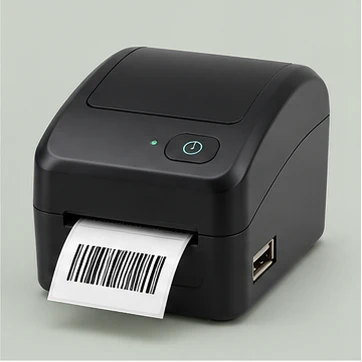
Start with your courier’s label size
Download one label from the courier or marketplace you use and check the actual page dimensions. A handheld label maker can suit shelf and stock labels, while larger shipping labels typically need a wider print path. Compare printable width and supported label dimensions against the file before paying.
Check paper, app and connection requirements
Confirm the compatible label roll width and whether the printer detects gaps, black marks or continuous rolls. Check local availability of the correct labels so you can compare running cost. If you print from a phone, make sure the app can import the label format you use. If using a computer, verify support for your operating system and connection type.
Run a realistic test print
Ask for a sample using a label similar to yours. Print at actual size and check both the address and barcode. Test scanning the barcode and stick a label onto your usual carton or courier bag to check adhesion. Include a spare roll in your first order if you ship every day.